
RigPlane Pro 0.10.0-beta.2 significantly improves connecting, configuring and managing your radio, with redesigned onboarding, Core 3.0 and reliability fixes.
Add each radio with Add radio, choose one with Switch Radio, and change its model or connection details with Switch Radio → Edit. RigPlane Pro 0.10.0-beta.2 brings those tasks together, so the radio you use today and the settings you need to adjust are easy to find again.
When you add a radio, Pro checks that its model is selected and asks for a password if that radio uses one. It opens the missing step before starting the radio service. You can see startup progress, cancel startup, and read a plain-language reason if a connection fails. If you add a radio that is already saved, Pro offers to open that entry for editing instead of replacing its settings or password.
More dependable discovery and setup
Discovery scans now have a timeout and report errors. If one candidate resets its connection, Pro treats it as no answer and continues the scan. Together with the model and password prompts, these changes make it easier to finish setup and see what needs attention.
One home for your radios
The old Server screen has been removed from Settings. Add every radio as its own saved entry, including a station reached through a RigStation. Switch between entries in Switch Radio, or edit the selected one there. Adding another connection leaves the saved radios you already use in place.
For people upgrading from beta.9, install beta.2 over the existing version. Saved radios and passwords are kept. A connection configured through the old Server screen appears as a saved radio in Switch Radio. Choose its radio model once in Switch Radio → Edit, then connect.
If Pro shows that it is connected but the radio does not respond, check the saved model and connection settings, including the selected port. A wrong port or model can still produce a connected state without a working radio.
Built on RigPlane Core 3.0
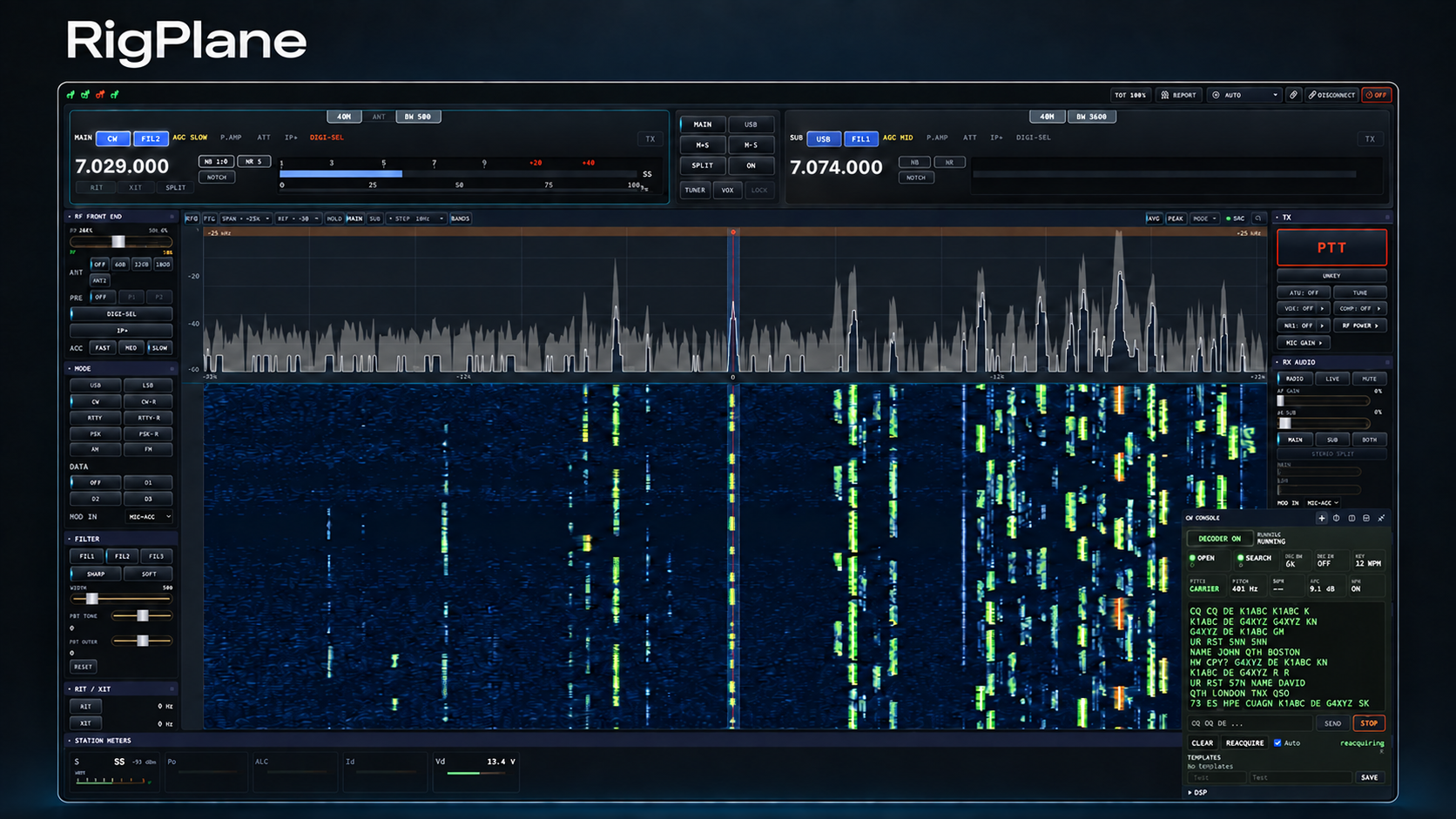
Beta.2 is the first published RigPlane Pro release built on RigPlane Core 3.0, the open-source library beneath the desktop app. Core uses the selected radio model to choose how to communicate with that radio, so specific models no longer need manual overrides. Pro is the application you install and operate; Core provides its radio engine.
The release also brings practical changes around the connection. On Windows, the RigPlane virtual audio cable can be installed, repaired and removed from inside Pro. It requires Windows 11 version 22H2 or later. Windows SmartScreen may show a low-reputation warning while the signing certificate builds reputation. The release is available for macOS on Apple Silicon and Windows; there is no Linux build in beta.2.
Connection recovery and transmit control
Core 3.0 keeps radio state read back from the radio distinct from commands issued by the app. Its managed PTT control tracks which connection owns transmission, supports a configurable transmit time limit, and keeps an unconfirmed release pending so it can be retried.
If startup hits a temporary problem, Pro no longer restarts in a loop. The audio bridge and CW audio source detect a stalled Core connection and recover. On Windows, the background radio service stops if the app closes unexpectedly, and its crash details are recorded in the log. Saving settings also preserves configuration sections that Pro does not own.
During USB serial-port discovery, Pro keeps the DTR and RTS lines off. Earlier builds could briefly activate them, which could key a radio or interface configured to use those lines for PTT.
Other improvements and a known radio issue
The CW decoder has also been improved for real on-air signals. It waits for a keyed carrier before printing decoded text, reducing the random characters produced by receiver noise between signals.
There is one radio behavior to know about: stopping Pro or switching to another radio can turn off the antenna tuner (ATU) on Icom radios and the Yaesu FTX-1. If you use the ATU, turn it back on at the radio. A fix is planned for the next beta.
RigPlane Pro 0.10.0-beta.2 is available from the downloads page. It is a beta, and this release is for macOS Apple Silicon and Windows.
73,
Sergey KN4KYD
Icom and Yaesu are trademarks of their respective owners and are referenced here only to describe compatibility.
Last reviewed 2026-09-30.